

Table of Contents
Introduction
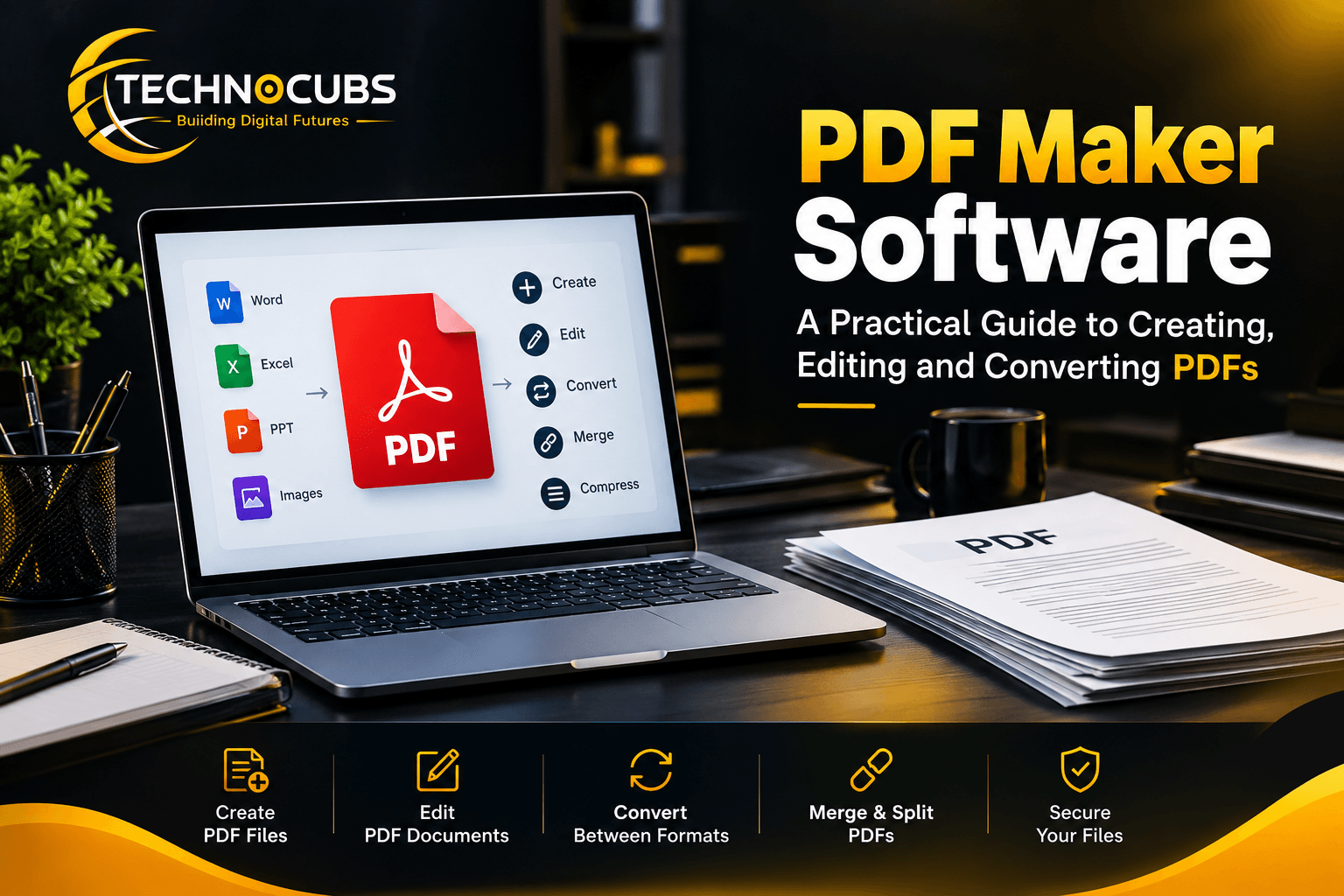
PDF maker software is the tool that turns a Word file, a photo, a web page or a plain idea into a clean document that looks the same on every screen. Without reliable PDF maker software, fonts shift, images jump around and the reader sees a mess. With it, you can create PDF files in minutes and send one tidy package. This guide explains what PDF maker software is, how it works, which features matter and how to choose between free and paid options.
What Is PDF Maker Software?
A Plain-Language Definition
PDF maker software is a program or web tool that creates files in the Portable Document Format. The format was designed to keep layout, fonts and images fixed, no matter which device or operating system opens the file. Good PDF maker software lets you start from almost anything: a document, a spreadsheet, a slide deck, a scanned page or a blank canvas.
PDF Maker vs PDF Editor vs PDF Converter
These three names are often mixed up, so it helps to separate them. A PDF maker builds a new PDF. A PDF editor changes text, images and pages inside an existing PDF. A PDF converter moves content between formats, such as PDF to Word or Excel to PDF. Most modern PDF maker software bundles all three jobs, which is why the terms overlap in search results.
Desktop, Online and Mobile Types
Desktop PDF maker software installs on your computer and works offline, which suits large files and private documents. Online tools run in the browser and need no installation, so they are handy for quick jobs. Mobile apps let you scan a paper form with your phone camera and turn it into a PDF on the spot. Online tools suit quick jobs, while mobile apps are handy when you are on the move.
Who Uses It
Students submit assignments, accountants send invoices, lawyers share contracts, designers deliver portfolios and small businesses publish brochures. Anyone who needs a document to look professional and stay unchanged can benefit from PDF maker software.
Why PDF Maker Software Matters
Your Layout Stays Exactly As You Made It
A Word file can look different on a phone, a Mac or an older computer. A PDF does not. When you create PDF files with dependable PDF maker software, the spacing, fonts and images are locked in, so the reader sees what you intended.
Smaller, Easier-to-Share Files
A stack of high-resolution images can make an email bounce. Many tools let you compress PDF files without ruining readability. This is especially useful for image-heavy files, which can shrink a lot before you email them.
Better Security and Control
PDF maker software can add passwords, restrict printing or copying, and attach a digital signature. For contracts and financial papers, these controls matter. A plain document offers none of that protection.
Professional Trust
A neat PDF signals care. Quotes, resumes, reports and proposals sent as PDFs feel more finished than loose attachments, and that small difference can influence how seriously people take your work.
How PDF Maker Software Works
The Virtual Printer Method
Many programs install a “print to PDF” option. Instead of sending a page to paper, you send it to the PDF maker software, which saves the result as a file. This works with almost any application that can print.
Direct Export and Save As
Office suites and design tools include an export button. You write in your word processor, then use export to create PDF output in one click. The advantage is that links, headings and bookmarks often carry over.
Converting Existing Files and Images
A PDF converter feature takes images, web pages and other formats and wraps them in a PDF. Scanned pages can pass through OCR (optical character recognition), which reads the picture of the text and makes it searchable and selectable.
Combining and Reorganizing Pages
When you merge PDF files, the software joins separate documents into one, then lets you reorder, rotate or delete pages. Merging a quote, a contract and a portfolio into a single file means the recipient opens just one attachment.
Key Features to Look For in PDF Maker Software
Editing Tools
A strong PDF editor lets you fix a typo, swap an image, add a page number or adjust a heading without going back to the original file. Check that editing keeps the original fonts, because poor tools can break the layout.
Merge, Split and Compress
The ability to merge PDF files, split a long report into chapters and compress PDF size are everyday needs. Test these on a real file before you commit, since quality varies between products.
OCR and Format Conversion
OCR turns scanned paper into searchable text. Pair it with PDF to Word and PDF to Excel conversion and you can reuse old documents instead of retyping them. Accuracy depends on the scan quality, so always proofread the output.
E-Signature and Security
Look for password protection, redaction to hide sensitive text and an e-signature option. These features turn simple PDF maker software into a tool you can trust with contracts, invoices and personal records.
Free vs Paid PDF Maker Software
A free PDF maker is usually enough for basic jobs: saving a document as a PDF, merging two files or making a simple form. Limits tend to appear in the details, such as watermarks, file-size caps, daily usage limits or locked advanced tools like OCR and bulk processing.
Paid PDF maker software typically unlocks full editing, unlimited conversions, stronger security and customer support. If you handle PDFs a few times a month, a free tool may be fine. If PDFs are part of your daily work, a paid plan often saves time and prevents frustration.
A sensible approach is to test the free version or trial first, run your most common task and then decide whether the paid features are worth the price.
Popular PDF Maker Software Compared
Features and pricing change often, so confirm current details on each official website before buying.
| Tool | Best for | Notable strength |
| Adobe Acrobat | Professionals and teams | Most complete feature set, the original PDF standard |
| Foxit PDF Editor | Business users | Fast performance and strong editing tools |
| Nitro PDF Pro | Office workflows | Familiar interface and good document collaboration |
| Small pdf | Quick online tasks | Simple browser tools for merge, compress and convert |
| Wondershare PDF Element | Value-conscious users | Wide feature range at a lower cost |
No single option wins for everyone. A student who needs to merge two files has very different needs from a legal team that signs hundreds of contracts every month.
Pros and Cons of PDF Maker Software
Pros
• Documents look identical on every device
• Easy sharing, with options to compress PDF size
• Built-in security, passwords and signatures
• One tool can create, edit, merge and convert files
• Professional presentation for business documents
Cons
• Advanced features often require a paid plan
• Free tools may add watermarks or limits
• Heavy editing can break layout if the tool is weak
• Online tools raise privacy concerns for sensitive files
• Learning a full-featured PDF editor takes some time
How to Choose the Right PDF Maker Software
Start with your most frequent task. If it is occasional merging, an online free PDF maker works. If it is editing client contracts, choose a desktop product with strong security. Then check four things: ease of use, the features you will really use, privacy of your files and total cost over a year. Finally, try a trial version with a real document before paying.
Conclusion
PDF maker software solves a simple but common problem: it makes documents look right, stay safe and travel easily. Whether you need to create PDF files from scratch, use a PDF editor to fix a contract, run a PDF converter on old scans or merge PDF files into one package, the right tool saves hours over a year. Start with your real needs, test a free option, and upgrade only when the limits start to cost you time. With the right PDF maker software, your documents can look professional every time.