








Table of Contents
Introduction
Six vans, forty deliveries, and one phone that never stops ringing. That is an ordinary Tuesday for a small flower delivery business, and it shows why vehicle tracking is no longer something only big trucking firms need. Fleet management software collects information from every vehicle and puts it in one place, so the person running the operation can see what is happening instead of guessing.
This article explains what fleet management software does, how data travels from a van to your screen, which features deserve your money, what it really costs, and the mistakes that make some businesses regret buying it. You will also get an honest look at its strengths and limits, so you can decide whether it fits your own work. It is written in plain language, so no technical background is needed.
What Is Fleet Management Software?
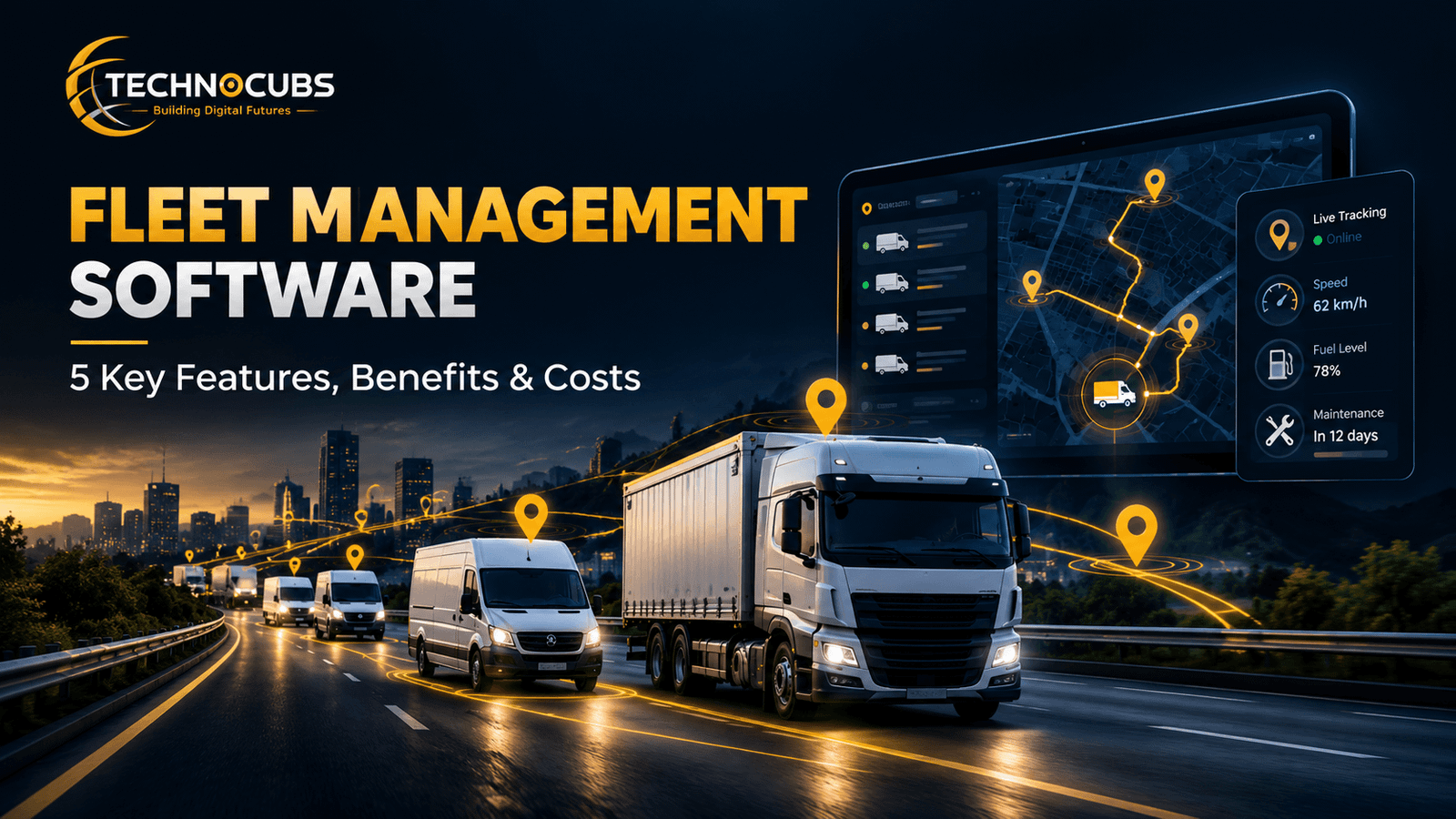
At its simplest, fleet management software is a shared view of your vehicles. Each van sends its position, speed, and engine status to a website or app. You open it, and the six vans in the flower business appear as dots on a map, each with a driver name and a status. Behind those dots sits plenty of useful detail: where a vehicle stopped, how long it sat with the engine running, how much fuel it used, and whether a warning light came on.
It works like a logbook that fills itself in. Before these tools, managers relied on driver phone calls, paper timesheets, and fuel receipts. Each of those depends on someone remembering to write something down. Fleet management software records it automatically, which makes the numbers more reliable and frees people from paperwork.
Products come in a few flavors. Basic trackers focus on location. Full platforms add maintenance, fuel cards, driver scoring, and compliance tools. Most are cloud-based, meaning you log in through a browser, while a smaller number run on a company’s own servers for organizations with strict data rules.
How Fleet Management Software Moves Data From Van to Screen
The Device in the Vehicle
A small tracker plugs into the vehicle’s diagnostic port. Most modern light-duty vehicles use an onboard diagnostics port, such as OBD-II in the United States, although connector types and compatibility vary by vehicle.which makes installation a matter of seconds. Heavy trucks often use a different connector, so installers may need an adapter or a wired kit. Some businesses skip hardware and use a driver’s phone instead, which costs less but gives fewer details.
The Connection
The device reads GPS signals and sends updates over a cellular network. Update speed matters. Every few seconds gives a smooth live map, while every few minutes saves data costs. Many devices hold their readings when the signal drops and send them once coverage returns, so a remote route usually leaves a gap only in the live view, not in the history.
The Rules You Set
Raw data is not useful on its own. The software lets you set rules, such as an alert when a vehicle leaves a work area, idles for more than fifteen minutes, or reports an engine fault. The virtual boundary drawn on the map is called a geofence, and it is one of the most used tools in the whole system.
5 Fleet Management Software Features Worth Paying For
Not every feature in fleet management software earns its place. These five are the ones most businesses use week after week.
Live Tracking and Trip History
A live map shows where each vehicle is right now, and the history view replays past trips. This settles disputes quickly, such as whether a driver reached a customer’s address at the time they claimed. It also helps dispatchers choose the closest vehicle for an urgent job.
Maintenance Reminders
Fleet management software follows mileage or engine hours and reminds you when oil changes, tire checks, or inspections are due. A van that breaks down during a busy week costs far more than the scheduled service it skipped. Some systems also store service history and warranty dates in one record.
Driver Scorecards
Sensors pick up speeding, hard braking, sharp turns, and long idling. The software turns these events into simple scores. Used fairly, scorecards help managers praise careful drivers and coach others with specific examples instead of vague complaints.
Fuel and Idling Reports
Fuel is one of the biggest running costs. Reports that show idling time, unusual fuel use, and detours help you spot waste. Savings differ widely from one business to another, so measure your own results over a few months instead of trusting a promised percentage.
Digital Inspections and Logs
Drivers can complete vehicle checks on a phone and report faults with photos.Is statement ke saath official FMCSA source link karo and many platforms include that function. Rules differ by country and vehicle type, so check what applies in your region.
Where Fleet Management Software Helps Most
Delivery businesses gain the most obvious benefit because customers constantly ask where an order is. A dispatcher can answer in seconds and give an honest arrival time. Field service teams, such as plumbers, electricians, and technicians, use fleet management software to send the nearest worker to a new job and to prove how long a visit took.
Construction firms use it to protect expensive equipment and trucks from misuse, and school transport and waste collection services use it to confirm that routes were completed. Utilities and local governments track repair crews and snow plows in much the same way. Even a business with only five vehicles can benefit, because one avoidable breakdown or wasted trip can cost more than a month of the subscription.
Fleet Management Software Costs Explained
Most providers charge a monthly fee for each vehicle. On top of that, some add charges for hardware, setup, and extra modules such as dash cameras or fuel card integration. Contract length matters too, since longer contracts often lower the monthly price but make it harder to leave.
A simple way to compare offers is to multiply the monthly fee by the number of vehicles and by twelve, then add hardware and setup costs. That gives a yearly figure you can set against the savings you expect. Cellular data is usually included in the monthly price, but confirm this in writing. Ask for a written quote, and ask what happens to your data if you cancel.
Mistakes to Avoid With Fleet Management Software
Buying Before Knowing the Problem
Some owners sign up because a competitor did. Start by writing down your three biggest headaches, such as late deliveries, high fuel bills, or missed servicing. Then judge each product by how well it solves those, not by how many features it lists.
Ignoring the Drivers
Drivers often fear that fleet management software means distrust. If they hear about it for the first time after the devices are installed, morale suffers. Explain what is tracked, when, and why, and show how good scores can earn recognition. A short team meeting before rollout answers most worries. Clear policies also protect the business if privacy questions arise.
Collecting Data Nobody Reads
A dashboard full of numbers changes nothing unless someone acts on it. Pick a few measures, such as idling time and overdue services, and review them weekly. A short regular check beats a huge report that nobody opens.
Strengths and Limits of Fleet Management Software
What Works Well
Fleet management software gives a clear picture of daily operations, helps control fuel and repair costs, supports safer driving, and reduces paperwork. It scales too, so a business can begin with a handful of vehicles and add more later. For many owners, the biggest gain is simple peace of mind.
Where It Falls Short
There are costs for hardware, subscriptions, and training time. Weak mobile coverage can delay live data in remote areas. Some platforms are crowded with features a small business will never touch, and switching providers later can be a hassle. Most importantly, the software shows problems but cannot solve them without action from people.
Final Thoughts
Fleet management software turns scattered vehicle information into something a manager can act on. It helps trim waste, improve safety, and keep customers informed, whether you run six vans or six hundred trucks. Before you buy, list your biggest problems, ask for a trial, and compare yearly costs rather than monthly prices. Start with a few vehicles, track a handful of simple numbers, and expand once the results are clear. Chosen with care, fleet management software becomes a daily tool that earns its keep through better decisions.



One thought on “Fleet Management Software:5 Key Features, Benefits & Costs”