








Table of Contents
Introduction
A car manufacturer and a battery supplier spend eighteen months jointly engineering a new EV component. Somewhere around month six, the supplier ships a revised spec sheet by email that never makes it to the manufacturer’s design team, who keep building against the outdated version for another three weeks before anyone catches the mismatch. That kind of gap — not a technical failure, just a communication gap between two separate companies — is exactly what co-development software exists to close.
This guide breaks down what co-development software actually does, the real tools and platform categories used to support it, how a typical joint project actually runs on this kind of software day to day, and what to weigh — including security and cost — before choosing a platform for a specific partnership.
What Is Co-Development Software?
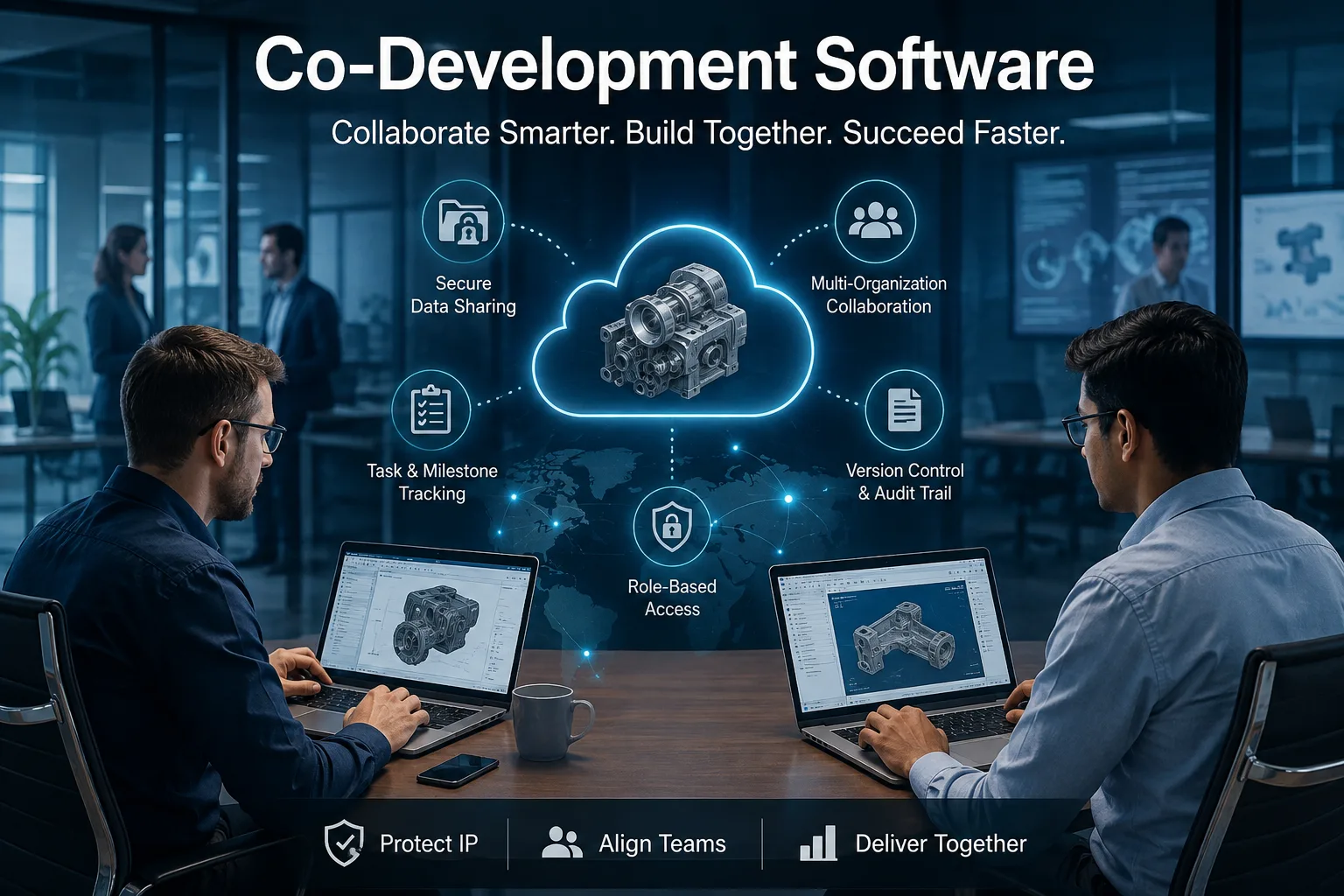
Co-development software refers to tools built to support collaborative product or technology development between two or more separate organizations — typically companies, research institutions, or supplier-partner relationships working together on a shared deliverable. Unlike internal project management tools designed for a single company’s team, this category of collaborative product development software is built around the specific challenges that come with multiple independent organizations sharing work, data, and intellectual property.
Isn’t This Just Google Drive, Slack, or Jira?
This is the question most people ask once they understand the basic concept, and it’s worth answering directly.
| Feature | Standard Tools (Slack, Drive, Jira) | Co-Development Software |
|---|---|---|
| Built for | A single organization’s internal team | Multiple separate organizations collaborating |
| IP ownership tracking | Not designed for this | Core feature, often with documented audit trails |
| Cross-company permissions | Basic sharing links, limited granularity | Granular, role-based access across organizational lines |
| Data room / secure exchange | Not typically included | Often a dedicated, purpose-built feature |
| Assumes shared internal systems | Yes | No — built to bridge separate internal systems |
General tools aren’t bad — they’re just not built for the specific tension of close collaboration alongside protected proprietary information across company lines, which is the core problem this category of software solves.
Why Co-Development Projects Need Specialized Software
Joint development arrangements carry risks that don’t show up in single-company projects, and this is exactly where purpose-built software earns its value.
Intellectual Property Boundaries Are Genuinely Complicated
When two companies co-develop a product, determining who owns what — the underlying technology, the resulting design, any improvements made along the way — requires careful tracking from day one. Co-development software typically includes structured documentation and access controls specifically designed to maintain a clear record of contributions and ownership as a project evolves.
Version Control Across Organizational Lines
Internal teams can usually rely on a shared file system or repository. Cross-company projects need version control that works even though each organization may have its own separate internal systems, security policies, and approval processes layered on top.
Communication Breakdown Is a Leading Cause of Failed Partnerships
A significant share of failed joint development projects trace back not to technical problems but to miscommunication — unclear requirements, missed updates, or decisions made by one party without the other’s awareness, similar to the spec-sheet scenario above. Centralizing communication inside a dedicated joint development software platform reduces the chances of critical information getting lost between separate email threads and internal messaging systems.
Types of Tools Used for Co-Development
“Co-development software” isn’t always one single product — in practice, it often spans a few overlapping categories, sometimes combined into one platform and sometimes used together.
Product Lifecycle Management (PLM) platforms track a product’s entire development history — design changes, approvals, revisions — across every stage from concept to production, often with multi-organization access built in for supplier collaboration.
Product lifecycle collaboration tools focus more specifically on the collaborative layer of PLM, letting partner organizations comment, review and approve design changes without needing full access to internal systems.
Secure data rooms provide a controlled space specifically for exchanging sensitive technical documents, contracts, and IP-related files, commonly used during high-stakes phases of a partnership like due diligence or technical disclosure.
Engineering collaboration platforms support shared CAD files, technical drawings, and design reviews across organizations, often layering permission controls on top of standard engineering file formats.
Git-based development tools with organization-level access controls extend version control concepts from software development into cross-company collaboration, particularly relevant when the shared deliverable is software or firmware rather than a physical product.
How Co-Development Software Works in a Real Project
Understanding the actual workflow makes the concept far more concrete than a feature list alone.
1. Create a joint workspace. A shared environment gets set up specifically for the partnership, separate from either organization’s fully internal systems.
2. Invite partner organizations. Each company’s relevant team members get added, typically through an admin on each side rather than open invitations.
3. Set permissions. Access gets configured by role and by document sensitivity — some materials fully shared, others restricted to specific people on each side.
4. Define milestones. Both organizations agree on a shared timeline and set of deliverables visible to everyone involved, replacing separately tracked internal schedules.
5. Share documents and designs. Technical specifications, CAD files, or code get uploaded into the shared space rather than circulated through disconnected email threads.
6. Track revisions. Every change gets logged with a timestamp and an identified contributor, keeping a running history of how the shared work evolved.
7. Record decisions. Key approvals and decisions get documented within the platform itself, rather than living only in someone’s inbox or meeting notes.
8. Review contributions. Each organization can see exactly what the other has added or changed, supporting the IP tracking discussed earlier.
9. Maintain an audit trail. The complete history stays available for as long as the partnership — and potentially any future ownership questions — requires it.
Security and Compliance in Co-Development Software
Given how much sensitive information moves through these platforms, security deserves more than a passing mention.
Encryption for data both at rest and in transit is a baseline expectation, particularly given the proprietary nature of most shared technical content.
Role-based access control ensures permissions map to actual job function and organizational affiliation, not a blanket “everyone sees everything” default.
Multi-factor authentication (MFA) adds a meaningful layer of protection against compromised credentials, especially important when external partner organizations are involved.
Audit logs provide a detailed, timestamped record of who accessed or modified what, supporting both security monitoring and the IP documentation needs covered earlier.
Data retention policies determine how long shared information stays accessible after a project concludes or a partnership ends, which matters for both compliance and ongoing confidentiality.
Access revocation needs to be fast and complete when a partnership ends or a specific individual’s involvement concludes, closing off access before it becomes a liability.
Compliance requirements vary significantly by industry — pharmaceutical and automotive partnerships, for example, often need to meet specific regulatory standards that general-purpose collaboration tools weren’t built to support.
What Does Co-Development Software Cost?
Pricing in this category varies considerably based on scale and complexity, but a few common models show up repeatedly.
Per-user pricing charges based on how many individuals across both (or all) partner organizations need access, which can scale quickly for larger collaborative teams.
Per-project pricing bundles cost around a specific joint initiative rather than individual seats, sometimes preferred for shorter, well-defined partnerships.
Enterprise licensing typically applies to larger organizations running multiple simultaneous partnerships, often negotiated as a broader agreement covering unlimited or high-volume usage.
Custom pricing is common for platforms with extensive security, compliance, or integration requirements, since heavily regulated industries often need configuration that falls outside standard pricing tiers.
Because actual costs depend so heavily on the specific partnership’s scale, security needs, and industry, requesting quotes directly from a few platforms tends to be far more useful than relying on a general price estimate.
Co-Development Software: Pros and Cons
| Pros | Cons |
|---|---|
| Better communication across organizations | Requires training for multiple separate teams |
| Clearer IP ownership records | Setup and permission planning can be complex |
| Centralized milestones and timelines | Licensing costs must be negotiated or shared |
| Stronger accountability through audit trails | Adds a tool on top of each partner’s existing systems |
Industries That Rely Heavily on Co-Development Software
While joint development happens across many sectors, a few industries lean on this category of software particularly heavily.
Automotive and manufacturing. A vehicle manufacturer co-developing a new braking system with a specialized parts supplier might use a shared PLM platform to track design revisions and approval sign-offs across both engineering teams throughout a multi-year development cycle.
Pharmaceutical and biotech. A pharmaceutical company partnering with a university research lab on a new compound often relies on a secure data room to exchange sensitive trial data and intellectual property documentation while maintaining strict access controls required by regulatory bodies.
Technology and software licensing. Two software companies co-building a product that combines one company’s core engine with another’s interface layer might rely on a Git-based platform with organization-level permissions to manage which team can access and modify specific parts of the shared codebase.
How to Evaluate Co-Development Software Before Choosing a Platform
A few practical questions help narrow down options based on a specific partnership’s actual needs.
How many organizations need access, and at what permission levels? Understanding the actual complexity of your specific collaboration structure before evaluating tools prevents over-buying features nobody will use or under-buying the access control granularity you’ll actually need.
What are the IP and confidentiality requirements of this specific partnership? Some collaborations involve highly sensitive proprietary technology, while others are more open — matching the software’s security features to actual risk level matters more than defaulting to the most expensive option.
Will it integrate with what each partner already uses internally? A platform that forces both organizations to abandon existing internal systems entirely tends to face far more resistance than one that can coexist with what teams already know.
Who owns and administers the platform long term? Establishing early which organization (or a neutral third party) manages user access and platform administration avoids ambiguity that can create friction later in the partnership.
Frequently Asked Questions
How is co-development software different from regular project management software? Standard project management tools generally assume a single organization’s team is using them, while co-development software is specifically built to manage collaboration, permissions, and IP boundaries across multiple separate companies.
Do small companies need dedicated co-development software, or is this only for large enterprises? Any organization entering a joint development partnership can benefit from it, though the complexity and cost of the platform chosen should scale with the size and sensitivity of the specific collaboration involved.
What’s the biggest risk of not using proper cross-company collaboration software for a joint project? Miscommunication and unclear IP ownership are the most commonly cited causes of joint development projects breaking down, both of which dedicated co-development platforms are specifically designed to reduce.
Can co-development software replace the need for a formal partnership agreement? No. The software supports day-to-day collaboration and documentation, but it doesn’t replace the legal agreements defining ownership, liability, and terms that should be established separately with proper legal counsel.
How is IP ownership typically tracked within a co-development platform? Through timestamped version history, documented contribution records, and access logs that create a clear audit trail of who created or modified specific elements of the shared project over time.
Is co-development software cloud-based? Most modern platforms in this category are cloud-based to support real-time collaboration across separate organizations, though specific security and hosting requirements can vary depending on the sensitivity of the project involved.
Final Thoughts
Co-development software solves a problem that’s easy to underestimate until a joint project is already underway: keeping multiple independent organizations aligned, accountable, and protected while working closely toward a shared goal. If a project involves multiple organizations, sensitive intellectual property, shared deliverables, and a long development cycle, dedicated software for joint ventures is very likely a better fit than stretching a generic collaboration tool to cover a job it was never built for — and the cost of getting that choice wrong tends to show up as exactly the kind of miscommunication and disputes this category of software was designed to prevent.