








Table of Contents
Introduction
Nobody thinks about engineering software when they drive over a bridge or plug in a phone charger. But behind that bridge’s steel supports and that charger’s tiny circuit board, an engineer ran calculations no spreadsheet could handle. That’s what this whole category of software is for.
Here’s what engineering software actually does, how it shifts across different engineering disciplines, and what actually matters when a team has to pick one.
So What Actually Counts as Engineering Software?
Put simply, it’s software built to handle the design, testing, and documentation work engineers do. Not office software with a fancy name — real tools built around physics, math, and manufacturing constraints that general apps were never meant to touch. Try modeling how a steel beam bends under a hundred tons of pressure in Excel. You can’t. Engineers needed something that could simulate stress, airflow, heat, and material behavior instead of just crunching basic numbers.
The Main Types of Engineering Software You’ll Run Into
Most tools here fall into a handful of buckets, even as specific brand names change constantly.
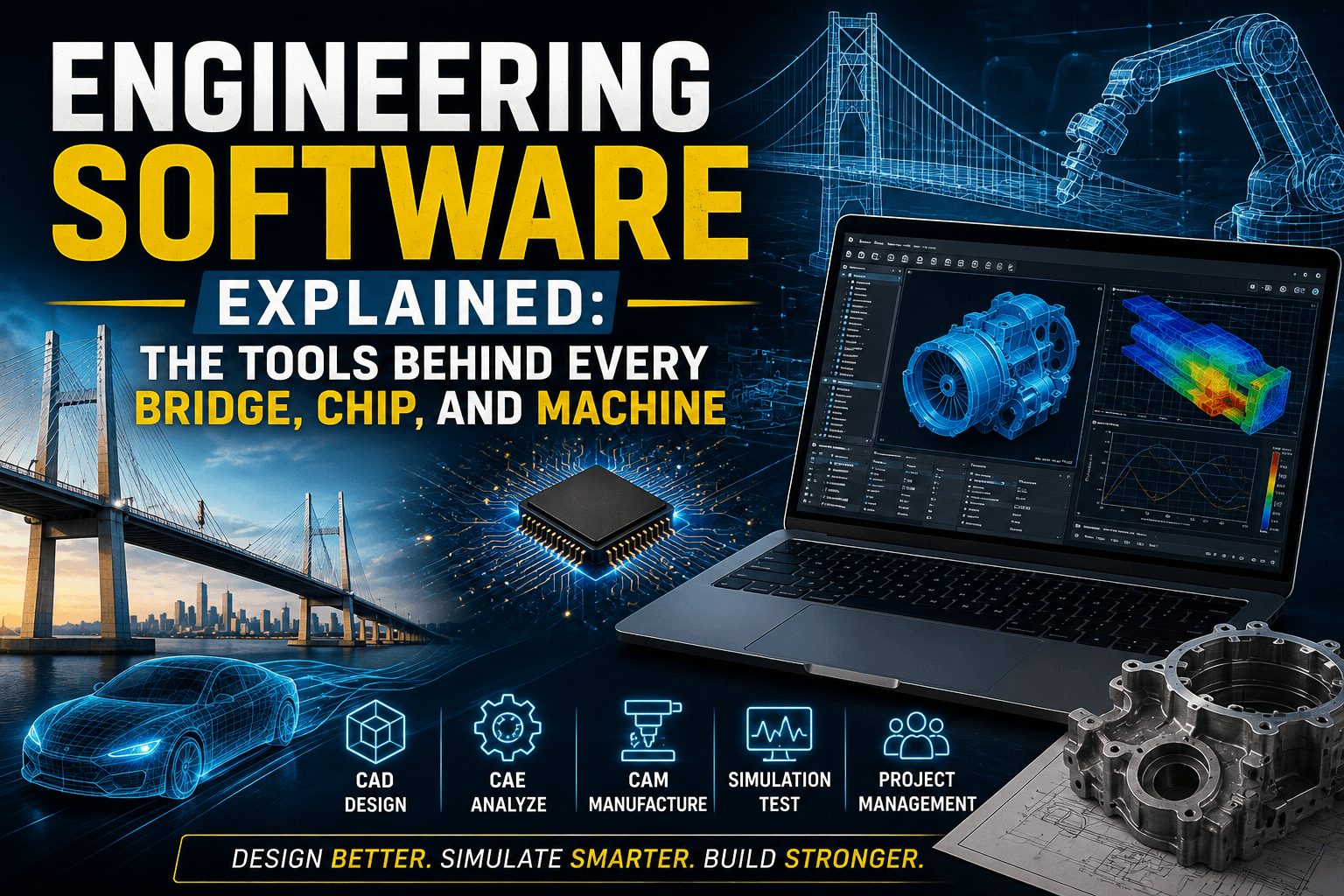
CAD (Computer-Aided Design)
This is where most engineering work starts. CAD software, sometimes called 3D engineering software, lets someone draw precise 2D plans or full 3D models before anything gets manufactured. Everything else on this list usually builds on top of what gets designed here first.
CAE (Computer-Aided Engineering)
Once something’s designed, CAE software tests it — virtually. Will this bracket snap under load? Will this enclosure overheat in direct sunlight? Answering these with physical prototypes used to cost a fortune; CAE answers them on a screen first.
CAM (Computer-Aided Manufacturing)
CAM software turns a finished design into instructions a machine can execute — toolpaths for a CNC mill, paths for a 3D printer. It’s the bridge between a digital model and a physical part.
Engineering Simulation Software: Going Deeper Than CAE
This overlaps with CAE but deserves its own breakdown. Finite element analysis (FEA) software checks how solid structures deform or fail under stress — like whether a bridge support handles its rated load. Computational fluid dynamics (CFD) software models how liquids and gases move, relevant for car aerodynamics or HVAC airflow. Circuit simulation software tests electrical behavior before a board gets manufactured, catching overheating or signal interference while it’s still cheap to fix. Different disciplines lean on different ones, but all count as engineering simulation software.
Project and Systems Engineering Tools
Big projects — aerospace, automotive platforms, industrial systems — need something to track requirements and coordinate engineers across interconnected parts of the same design. Skip it on a large project and things fall apart fast.
How This Changes Across Disciplines
Here’s roughly how tool choice breaks down by field.
Mechanical Engineers
Heavy use of mechanical engineering software for parts and assemblies, paired with simulation for stress, motion, and heat — non-negotiable since physical parts have to survive the real world.
Civil and Structural Engineers
Modeling entire buildings and bridges, factoring in load limits, materials, and regional building codes that aren’t the same everywhere. Civil engineering software handles beam deflection, foundation load distribution, and seismic stress modeling — the calculations that decide whether a design gets approved or sent back for revisions.
Electrical Engineers
Circuit design, PCB layout, simulation — electrical engineering software catches problems before a board gets manufactured, since fixing it afterward gets expensive fast.
Semiconductor and Chip Design Engineers
Fitting billions of transistors onto a phone-sized chip needs its own category: electronic design automation (EDA) software, which handles chip layout and verifies circuits will function before a design goes anywhere near a manufacturing facility, where errors cost millions to fix.
Software Engineers
An outlier here since there’s no physical product, but IDEs, version control, and architecture modeling tools serve the same purpose: managing complexity before it spirals.
What Actually Matters When Choosing Engineering Software for Your Team
A few things come up repeatedly when teams pick engineering design software or other engineering software tools.
Does it meet your discipline’s precision needs? Generic tools rarely cut it once real standards and tolerances are involved.
Can your team actually learn it? The most powerful tool is worthless if nobody can use it within a reasonable timeframe.
Will it work with what you already use? File compatibility issues between platforms cause more wasted time than people expect.
What does it cost long term? Per-seat, subscription, project-based — the pricing model matters as much as the sticker price at scale.
Is there real support behind it? When something breaks mid-project, documentation and an active community save real time.
Quick Pros and Cons
| Pros | Cons |
|---|---|
| Lets you catch design flaws before they cost real money | Steep learning curve on most serious tools |
| Cuts down on expensive physical prototyping | Licensing isn’t cheap for professional-grade software |
| Keeps large teams coordinated on complex projects | Switching between platforms is often a headache |
| Built for precision, not guesswork | Takes real time investment to get good at it |
Mistakes Teams Keep Making With Engineering Software
A few patterns show up regardless of company size.
Picking tools for the feature list, not the workflow. A platform loaded with unused features is just an expensive, underused platform.
Underestimating training time. Real ramp-up time is usually longer than teams plan for.
Ignoring file compatibility years down the road. Projects run for years, and software that locks you into one ecosystem becomes a real problem later.
Forgetting this software has to connect to everything else. Skipping integration planning tends to bite teams later, not immediately.
How Cloud-Based Engineering Software Is Changing the Field
Worth mentioning separately: a real shift has been happening in engineering software, moving away from purely desktop-installed tools toward cloud and hybrid platforms.
Teams Can Actually Collaborate in Real Time Now
Distributed teams working on the same design simultaneously used to mean a messy file-checkout system. Cloud tools have mostly fixed that, built-in version control now tracks exactly who changed what and when, which matters a lot for companies with engineers spread across different offices or countries.
You Don’t Need a Monster Workstation Anymore
Heavy simulation work used to demand serious local hardware. A lot of that processing now happens on remote servers instead, so engineers can run demanding work from far more modest machines.
Security, Access Permissions, and IP Protection Matter More Now
Moving sensitive design data to the cloud raises new questions, especially for industries dealing with proprietary or regulated information. Beyond basic vendor security, this means thinking about granular access permissions — controlling exactly who can view, edit, or export specific design files — along with intellectual property protection for designs that represent years of R&D investment. None of this was much of a concern when everything lived on a single locked-down local server.
Frequently Asked Questions
What’s actually different between CAD and CAE? CAD is for building the design. CAE is for testing whether that design actually holds up under real-world conditions before it gets built.
Is this only for big companies with big budgets? No. Plenty of platforms scale down with simplified pricing for smaller teams, freelancers, and solo engineers, not just enterprise clients.
How hard is it to actually learn this stuff? Depends heavily on the tool and discipline, but expect a longer runway than most business software. This isn’t something you master in an afternoon.
Can tools from different engineering fields talk to each other? More and more, yes. Standard file formats and built-in integrations increasingly let mechanical, electrical, and software teams work off the same project without constant format headaches.
Do you need to know how to code to use this? Not for standard design and simulation work. Some tools offer scripting for advanced automation, which helps but usually isn’t required to get started.
What actually drives the cost up or down? Discipline, feature depth, licensing model, and whether it’s aimed at individuals or full enterprise teams all factor in pretty heavily.
Final Thoughts
Most people will never think twice about the software that made their bridge, phone, or car possible, and honestly, that’s kind of the point. Good engineering software fades into the background once the work is done. Understanding the basics here — CAD, CAE, CAM, and the discipline-specific tools layered on top — makes it a lot easier to figure out what a team actually needs instead of just chasing whatever has the longest feature list.