









Table of Contents
Introduction
Open any browser toolbar, glance at a music producer’s software setup, or look under the hood of a growing number of new cars, and the same underlying idea keeps showing up: something small “plugs into” a bigger system and instantly makes it capable of more. That’s plug-in technology in a nutshell, and it’s become so embedded in daily tech use that most people rely on it constantly without ever really naming it.
This guide walks through what plug-in technology actually means depending on the context, where it genuinely helps, where it creates real headaches, and what to weigh before adding another plugin, peripheral, or plug-in hybrid to your setup.
What Is Plug-In Technology, Exactly?
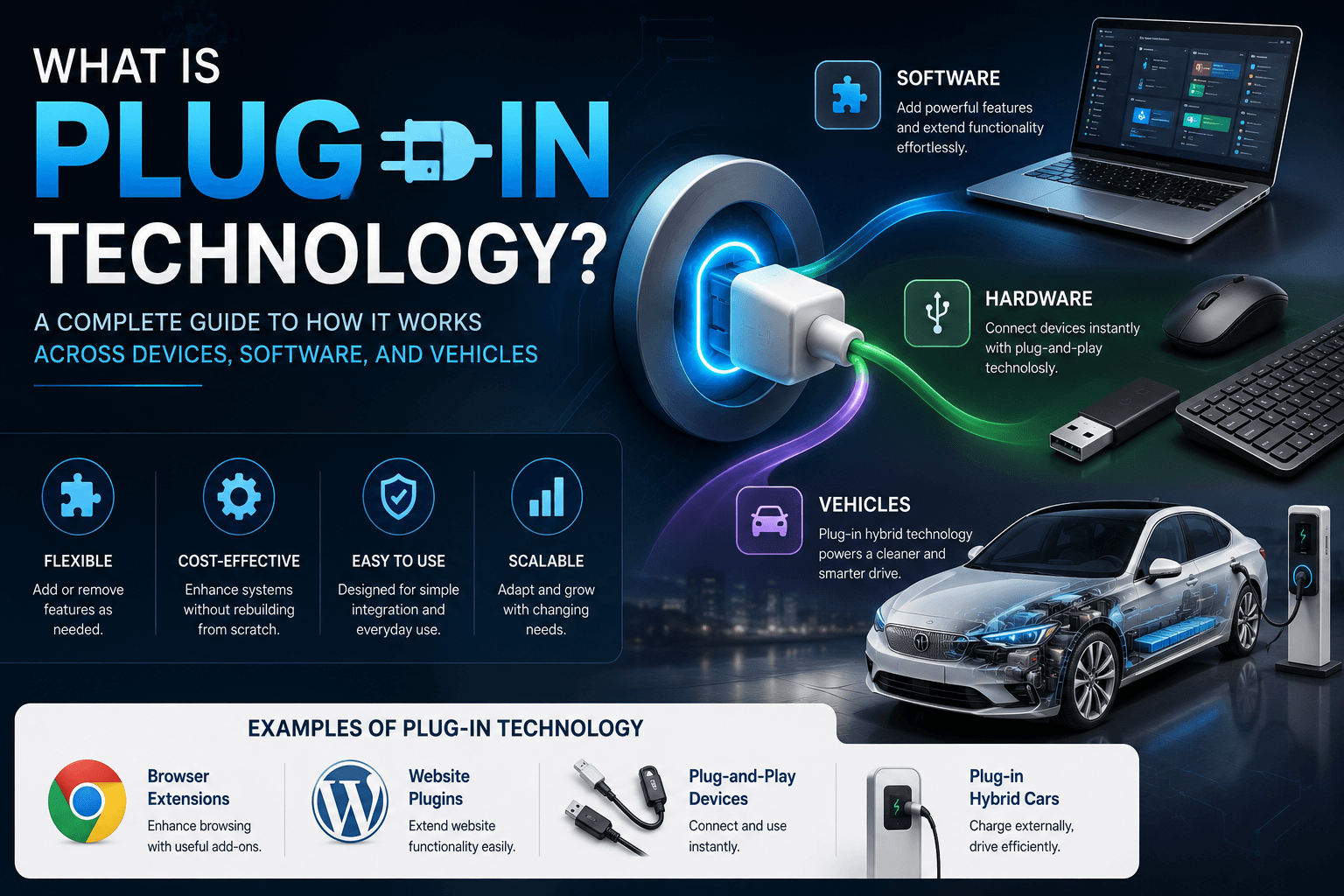
Plug-in technology describes any add-on component — software or hardware — that connects to an existing system to extend what it can do, without forcing a rebuild of that system from the ground up. Think of it as modular thinking applied to tech: the core stays intact, and new capability gets bolted on as needed.
The phrase covers a surprisingly wide range of real-world applications, three of which tend to come up constantly.
Why This One Term Covers So Many Different Things
Software engineers, hardware designers, and automotive manufacturers all landed on the same basic metaphor because it accurately describes how their systems work — a smaller piece snapping into a larger one. Context is usually what tells you which version of plug-in technology is actually being discussed.
Plug-In Technology in Software: Extensions, Add-Ons, and Modules
This is probably the most familiar version for most internet users.
Browser Plugins and Extensions
Ad blockers, password managers, and grammar checkers are everyday examples of software-side plug-in technology — small programs that snap into a browser and add functionality the browser wasn’t originally built with, without touching its core code.
CMS and Website Plugins
Platforms like WordPress lean almost entirely on this model. Instead of custom-coding every feature, site owners install plugins for SEO, contact forms, security scanning, or online stores, turning a bare-bones CMS into something far more capable in minutes rather than weeks.
Plugins in Creative and Audio Software
Music producers and video editors regularly stack plugins on top of their core software to add effects, filters, or virtual instruments, letting one application be shaped around a very specific creative workflow rather than staying generic.
Plug-In Technology in Hardware: Plug-and-Play Devices
The same underlying logic shows up constantly outside of software too.
Plug-and-Play Peripherals
A huge chunk of modern hardware runs on this exact principle — connect a mouse, keyboard, or external drive, and it works immediately without hunting down drivers or configuring anything manually.
Modular, Expandable Components
Some devices are deliberately built around swappable modules — expansion cards, extra storage bays, specialized adapters — so a user can extend hardware capability well after the original purchase instead of being locked into whatever configuration it shipped with.
Plug-In Hybrid Technology: How It Works in Vehicles
A completely different but rapidly growing use of the term relates to cars, not computers.
The Mechanics Behind a Plug-In Hybrid
A plug-in hybrid pairs a traditional combustion engine with a larger, rechargeable battery that can be topped up directly from an external power source — something a standard hybrid simply can’t do, since those only recharge through regenerative braking and engine power. This setup lets a plug-in hybrid run purely on electricity for a limited range before the combustion engine takes over. The U.S. Department of Energy breaks this process down in detail in its explainer on how plug-in hybrid electric cars actually work.
Why Plug-In Hybrids Keep Gaining Ground
They offer a genuine middle path between fully electric vehicles and traditional gas cars — lower fuel use and emissions on short trips, paired with the range and refueling flexibility that fully electric cars can’t always match, especially in areas where charging infrastructure is still catching up.
Plug-In Technology: Pros and Cons at a Glance
| Pros | Cons |
|---|---|
| Easy to install | Too many plugins can slow websites or systems down |
| Adds new features without a full rebuild | Security risks from untrusted or poorly maintained sources |
| Cost-effective compared to custom development | Compatibility issues between different plugins or hardware |
| Easy to remove or swap out | Requires regular updates to stay secure and functional |
Where Plug-In Technology Tends to Go Wrong for Users
Understanding the upside of plug-in technology only tells half the story — a few recurring problems are worth knowing before relying too heavily on any plug-in setup.
Plugin overload slows everything down. Whether it’s a browser choking under a dozen extensions or a website buckling under too many CMS plugins, each addition consumes resources even when it’s sitting idle in the background.
Abandoned plugins become security holes. A plugin that isn’t actively maintained by its developer can turn into an easy entry point for attackers, since unpatched vulnerabilities just sit there waiting to be exploited.
Compatibility conflicts multiply with scale. The more plug-in components stacked onto one system, the higher the odds that two of them clash with each other, causing bugs that are genuinely difficult to trace back to a specific cause.
Alternatives to Relying Heavily on Plug-In Technology Setups
Plug-in technology isn’t always the right tool for the job, and a few alternative approaches are worth knowing about.
Native, Built-In Features
Many platforms now build core functionality directly into the product instead of requiring a separate plugin — modern browsers, for instance, ship with built-in password managers and ad-blocking controls that used to require third-party extensions entirely.
Custom Development
For businesses with very specific needs, building custom functionality directly into a system — rather than relying on a general-purpose plugin — can reduce long-term security risk and compatibility headaches, even though it costs more upfront.
Fully Integrated Platforms
Some tools are designed as all-in-one systems specifically to avoid plugin sprawl, trading some flexibility for a simpler, more stable, single-vendor experience.
For teams weighing whether a plugin-based approach or a more integrated tool purchase makes more financial sense, the same cost-versus-value thinking covered in our guide to evaluating gadget purchases as investments applies just as well here — the right choice usually comes down to real usage frequency, not just upfront price.
How to Evaluate Plug-In Technology Before Adopting It
A few practical checks help separate a genuinely useful plugin or plug-in device from one that’ll cause more problems than it solves.
Is it actively maintained? Outdated plugins or unsupported hardware modules are far more likely to cause compatibility issues or introduce security gaps over time.
Does it come from a trustworthy source? This matters most with software plugins specifically — installing from unofficial or unverified sources is one of the fastest ways to introduce risk into an otherwise secure system.
What’s the real, measurable impact? Whether that’s a browser slowing down from too many extensions, or a plug-in hybrid’s actual electric-only range falling short of the advertised number, grounding expectations in real-world performance avoids disappointment later. Software tools worth evaluating this carefully before adoption are covered in more detail in our review of Kuta Software’s features and limitations, which walks through this exact kind of evaluation process for a specific product.
Frequently Asked Questions
Is plug-in technology the same thing as plug-and-play? Not quite. Plug-and-play specifically describes hardware working immediately upon connection without manual setup, while plug-in technology is the broader concept spanning software, hardware, and even automotive applications.
What’s the real difference between a plug-in hybrid and a fully electric vehicle? A plug-in hybrid combines a combustion engine with a rechargeable battery for limited electric-only range, while a fully electric vehicle runs entirely on battery power with no combustion engine involved at all.
Are browser plugins and browser extensions the same thing? The terms get used interchangeably today, though technically “plugins” historically referred to browser-embedded software like older multimedia players, while “extensions” specifically modify browser behavior through the browser’s own extension framework.
Can plug-in technology create security risks? Yes, particularly with software plugins sourced from unverified developers, which can potentially access sensitive data or open up vulnerabilities in an otherwise secure system.
Do plug-in hybrids need to be plugged in to run at all? No — they can still operate using the combustion engine and limited regenerative charging even without ever being plugged in, though skipping regular charging cancels out most of the fuel efficiency benefits the technology is built around.
How can I tell if a device supports plug-and-play functionality? Most modern peripherals support this by default, but checking the product specifications or documentation beforehand remains the most reliable way to confirm compatibility with your specific setup.
Final Thoughts
Plug-in technology, whether it’s showing up as a browser extension, a plug-and-play peripheral, or the battery system inside a hybrid vehicle, all comes back to the same core idea — adding real capability without tearing down and rebuilding an entire system. Knowing which specific context applies, and weighing the genuine benefits against the real maintenance and security tradeoffs, makes it far easier to decide when a plugin or plug-in device is actually worth adding, and when a native feature or fully integrated alternative might serve you better.