








Table of Contents
Introduction
Ask any math teacher who’s spent a weekend manually writing out twenty-five slightly different versions of the same algebra worksheet, and they’ll probably have strong feelings about Kuta Software. It’s one of the most widely used worksheet generators in math classrooms for a simple reason — it turns hours of worksheet creation into a task that takes minutes, generating an unlimited number of unique practice problems at the push of a button.
This review walks through what the program actually does, where it genuinely shines, where it falls short, and which alternatives are worth considering if it doesn’t quite fit your classroom’s needs.
What Is Kuta Software?
This program is a desktop application built specifically for generating math worksheets and tests. Rather than pulling from a fixed bank of pre-written problems, it algorithmically creates new problem sets on demand, which means two students — or two class periods — rarely end up with identical worksheets.
The product line is split into several subject-specific programs, including Infinite Pre-Algebra, Infinite Algebra 1 and 2, Infinite Geometry, and Infinite Calculus, each targeting a specific level of math curriculum rather than trying to cover everything in one bloated application.
Who Actually Uses Kuta Software
This tool is aimed squarely at math educators — classroom teachers, tutors, and homeschooling parents who need a steady supply of practice problems without spending hours writing them by hand. It’s less relevant for students working independently, since it’s primarily licensed and used from the instructor’s side, not by students directly.
Key Features of Kuta Software
A few core features explain why this tool has stayed relevant in classrooms for so long.
Randomized Problem Generation
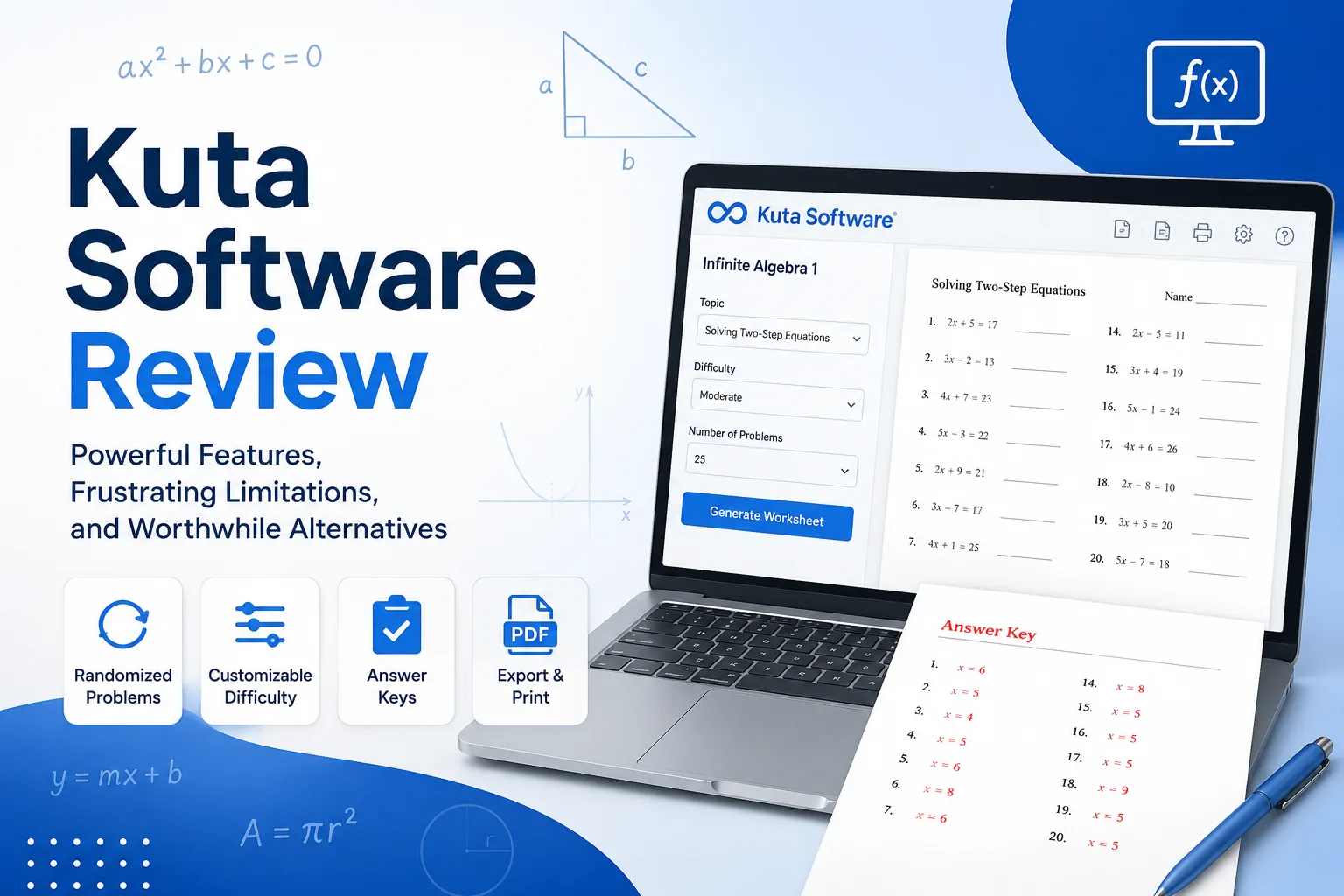
The centerpiece feature of this program is its ability to generate an essentially unlimited number of unique problems within a chosen topic, which makes it easy to create different versions of the same worksheet for multiple class periods or to prevent easy copying between students.
Customizable Difficulty and Problem Types
Teachers can adjust the specific skills and difficulty level covered on a worksheet, letting the tool generate practice sets tailored to exactly where a class currently is in the curriculum, rather than relying on generic, one-size-fits-all problem sheets.
Built-In Answer Keys
Every worksheet the program generates comes with an automatically created answer key, which removes one of the more tedious parts of assembling practice material — solving every problem manually just to check student work later.
Export and Printing Options
Worksheets can be exported as PDFs or Word documents, giving teachers flexibility in how material gets distributed, whether that’s printing physical copies or sharing digital versions through a classroom platform.
Where Kuta Software Genuinely Excels
Reviewing the tool honestly means starting with what it does well, since these strengths explain its long-standing popularity.
Massive time savings for repetitive worksheet creation. For any teacher covering the same core skills across multiple class sections, the ability to generate fresh, non-identical versions in seconds is a genuine practical advantage.
Strong alignment with standard math curricula. The available worksheet topics map closely to how math is typically taught at each grade level, making it straightforward to find exactly the practice material needed for a specific lesson.
Low learning curve. The interface hasn’t changed dramatically over the years, which some might see as dated, but it also means new users can get a usable worksheet within a few minutes of opening the program for the first time.
Where Kuta Software Falls Short
No review would be complete without addressing the genuine limitations that come up regularly in teacher feedback.
Dated interface design. Compared to newer, web-based education tools, the desktop application can feel visually outdated, which occasionally surprises new users expecting something more modern.
Limited to math subjects. This program doesn’t extend into other subjects, so schools looking for a single tool covering multiple departments will need separate solutions for anything outside math.
Desktop-only software for older versions. Depending on the specific product purchased, some versions are tied to a desktop installation rather than being fully cloud-based, which can be inconvenient for teachers who move between devices frequently.
Cost adds up across multiple course levels. Since each math level (Algebra, Geometry, Calculus, etc.) is typically sold as a separate product, schools wanting full coverage across grade levels end up purchasing multiple licenses.
Kuta Software: Pros and Cons at a Glance
| Pros | Cons |
|---|---|
| Generates unlimited unique problem variations | Interface feels dated compared to newer tools |
| Automatic answer keys save grading prep time | Each math level requires a separate purchase |
| Strong curriculum alignment for standard math courses | Limited to math — no other subject coverage |
| Simple, low learning curve for new users | Some versions rely on desktop installation |
| Flexible PDF and Word export options | Less collaborative than modern cloud-based platforms |
Kuta Software Alternatives Worth Considering
For educators whose needs extend beyond what this tool offers, a few alternatives regularly come up in comparison.
IXL
IXL offers adaptive practice across multiple subjects, not just math, with built-in progress tracking that Kuta Software doesn’t provide since it functions purely as a worksheet generator rather than a student-facing platform.
Khan Academy
For teachers looking for a free option with video instruction built directly alongside practice problems, Khan Academy covers a similar range of math topics, though it lacks the printable worksheet generation that makes this tool useful for in-class handouts.
DeltaMath
DeltaMath has become popular specifically for its online assignment and auto-grading capabilities, which appeals to teachers wanting a more digital-first workflow compared to its print-focused approach.
Kuta Software vs. Alternatives: Quick Comparison
| Feature | Kuta Software | Khan Academy | DeltaMath | IXL |
|---|---|---|---|---|
| Printable Worksheets | ✅ | ❌ | Limited | ❌ |
| Auto Grading | ❌ | ✅ | ✅ | ✅ |
| Free Version | Trial | ✅ | ✅ | Limited |
| Best For | Teachers | Students | Homework | Practice |
Getting Started With Kuta Software
For educators considering it for the first time, the setup process is relatively simple.
- Choose the right product level — Pre-Algebra, Algebra 1, Algebra 2, Geometry, or Calculus, based on the specific course being taught
- Purchase a license — pricing is typically per subject, so it’s worth confirming exactly which course levels are needed before buying
- Install the software — most versions install directly on a Windows or Mac computer, depending on the product edition
- Generate a test worksheet — trying out a few sample worksheets first helps confirm the tool covers the specific topics a class needs before committing to a full license
You can review current pricing, available subjects, and product details directly through the official Kuta Software website.
Is Kuta Software Worth the Investment for Your Classroom?
Deciding whether to purchase ultimately comes down to how much time it will realistically save compared to its cost. For teachers who regularly create original worksheets from scratch, the time saved can be substantial enough to justify the purchase quickly. This kind of cost-versus-time-saved thinking mirrors the same evaluation process worth applying to any classroom or office technology purchase — a mindset covered in more detail in our guide on gadgets investing, which walks through how to judge whether a tech purchase is genuinely worth its cost.
Schools weighing this program alongside other instructional tools might also find it useful to think about how course materials get organized and shared internally, an area where tools like Guru knowledge base software can help keep lesson plans, worksheets, and teaching resources centralized and easy to find across a department.
Frequently Asked Questions
Is Kuta Software free to use? No, it’s a paid product, typically licensed per subject level, though the official site occasionally offers limited trial access to test the software before purchasing.
Does Kuta Software work for subjects other than math? No, it’s built specifically for math worksheet generation across levels ranging from pre-algebra through calculus, and doesn’t extend into other academic subjects.
Can students use Kuta Software directly? It’s primarily designed for teacher use to generate worksheets, rather than as a student-facing platform, though the worksheets it creates are obviously intended for students to complete.
Is Kuta Software cloud-based or desktop-only? This depends on the specific product version, as some editions are traditional desktop installations while others may offer more flexible access — checking the current product details is the most reliable way to confirm.
What’s the biggest limitation of Kuta Software compared to newer platforms? The lack of built-in student progress tracking and its print-focused design are the most commonly cited limitations compared to more modern, cloud-based education platforms.
Are there good free alternatives to Kuta Software? Khan Academy is a commonly recommended free alternative, though it functions differently, focusing more on guided video instruction than customizable, printable worksheet generation.
Final Thoughts
This worksheet generator has stuck around in classrooms for a reason — it solves a genuinely tedious problem for math teachers extremely well, even if its interface hasn’t kept pace with flashier, cloud-based competitors. Whether it’s the right choice depends largely on how much value a school places on quick, customizable worksheet generation versus the broader feature sets offered by newer platforms. For many math departments, the time saved alone still makes it a worthwhile addition to the classroom toolkit.