



Table of Contents
Introduction
Type “VBOX software” into a search bar and you’ll actually land on two completely different tools depending on which industry you’re coming from. To a developer or IT hobbyist, VBOX often means Oracle VirtualBox — free virtualization software for running one operating system inside another. To an automotive engineer or motorsport team, VBOX means something entirely different: Racelogic’s GPS-based data logging and vehicle testing software, used to measure speed, acceleration, and braking performance with extreme precision.
This guide focuses primarily on the second meaning — VBOX Automotive’s software ecosystem — while briefly clarifying the distinction so you land on the right resource for what you’re actually trying to do.
Clearing Up the Confusion: Which VBOX Software Do You Mean?
Before going further, it’s worth settling this quickly, since the two tools serve completely unrelated purposes.
Oracle VirtualBox
This is free, open-source virtualization software that lets a computer run an entirely separate operating system inside a virtual machine — commonly used by developers testing software across different environments without needing separate physical hardware.
VBOX Automotive (Racelogic)
This is a specialized hardware and software ecosystem built for vehicle testing, motorsport data logging, and automotive engineering — a completely different category of tool aimed at measuring real-world vehicle performance rather than running virtual operating systems.
The rest of this guide covers VBOX Automotive’s software specifically, since that’s the less commonly explained of the two despite serving a genuinely important role in automotive testing and motorsport.
What Is VBOX Automotive Software?
VBOX Automotive, developed by UK-based company Racelogic, builds GNSS-based data logging hardware paired with dedicated analysis software used to capture and interpret vehicle performance data — speed, position, acceleration, and braking distance — with a level of accuracy standard consumer tools can’t match. The company’s first data logger launched back in 1992, and its equipment has since become a recognized standard across vehicle testing, motorsport, and automotive research and development.
Core Software Tools in the VBOX Ecosystem
The VBOX software suite isn’t a single application but a collection of tools built around different use cases.
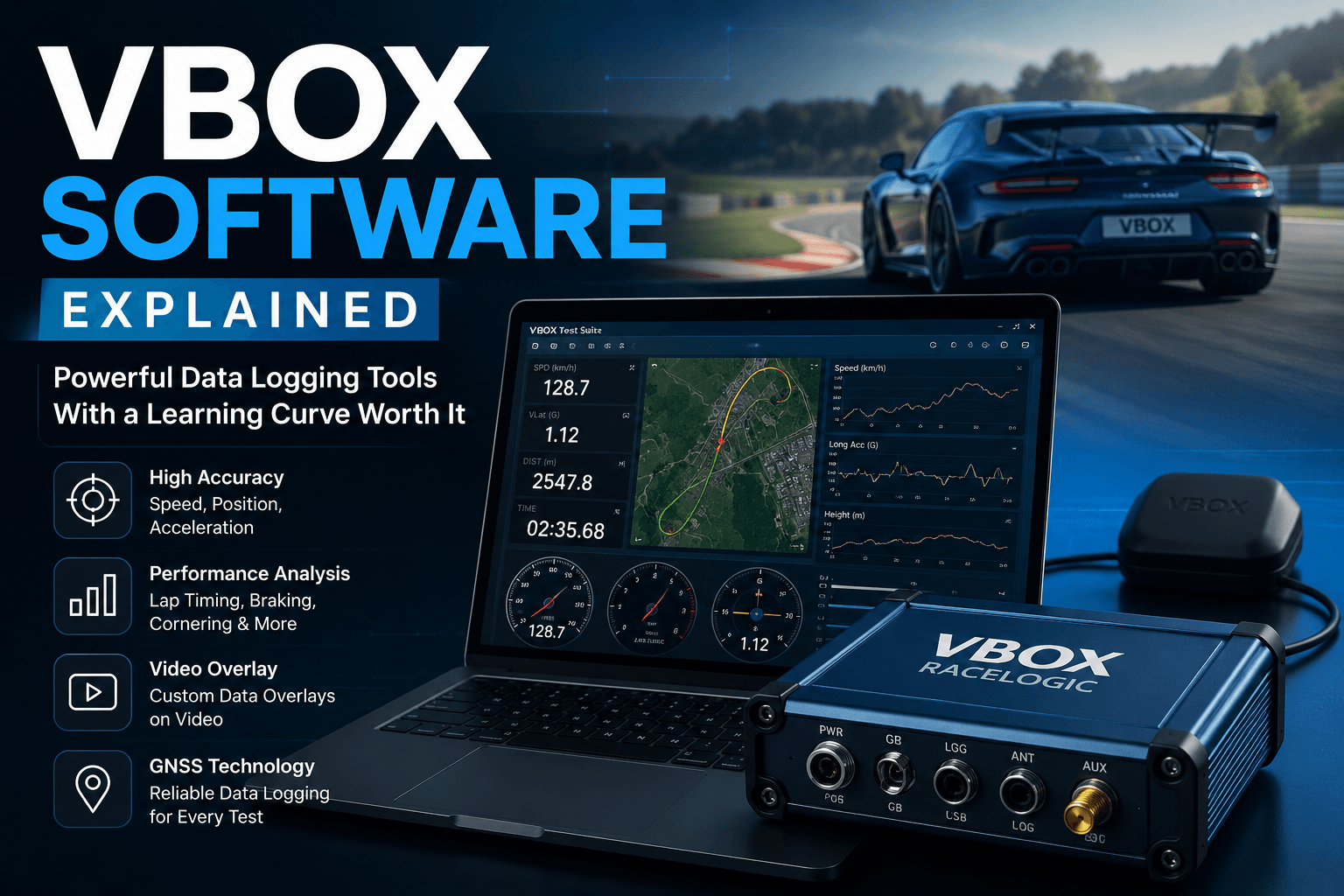
VBOX Test Suite functions as the primary free, Windows-based analysis software, letting users post-process logged data or view results live via a Bluetooth connection from inside a vehicle during testing.
Circuit Tools and Performance Tools provide specialized analysis for lap timing, cornering performance, and acceleration testing, commonly used in motorsport environments to break down exactly where time is gained or lost on a track.
Video VBOX Setup software allows users to build custom on-screen data overlays — bar graphs, gauges, track maps — layered directly onto synchronized video footage captured during a test run or race session.
Who Actually Uses VBOX Automotive Software?
The tool serves a fairly specific, technical audience rather than general consumers.
Motorsport Teams and Drivers
From amateur track day enthusiasts to professional racing teams, VBOX software is used to analyze lap times, optimize driving lines, and identify precise areas for performance improvement, all built around data that’s difficult to gather accurately without dedicated GNSS hardware.
Automotive Engineers and Manufacturers
Beyond racing, VBOX software plays a significant role in serious vehicle testing and validation work — including ADAS (Advanced Driver-Assistance Systems) testing, braking performance analysis, and autonomous vehicle development, where precise, repeatable measurement is essential for safety validation.
Vehicle Testing and Research Applications
Beyond pure automotive use, similar GNSS logging principles extend into marine, aviation, and even collision forensics work, wherever precise position and motion data needs to be captured and analyzed after the fact.
VBOX Software: Pros and Cons
| Pros | Cons |
|---|---|
| Extremely high measurement accuracy for speed, position, and acceleration | Learning curve for users unfamiliar with GNSS data logging |
| Free analysis software included with hardware purchases | Requires dedicated VBOX hardware to generate the data being analyzed |
| Wide range of specialized tools for different testing applications | Primarily built for a technical, professional audience |
| Long-standing industry reputation across motorsport and automotive testing | Higher upfront hardware cost compared to consumer-grade alternatives |
Getting Started With VBOX Software
For anyone new to the ecosystem, a few practical steps make the initial setup smoother.
- Identify the right hardware first — VBOX software is built around specific data logger models, so choosing the correct hardware for your testing needs (motorsport, ADAS testing, general vehicle dynamics) comes before software setup
- Download the current software version — official releases, updates, and setup guides are available directly through the VBOX customer downloads area
- Review the specific application requirements — lap timing, braking tests, and ADAS validation each rely on slightly different configuration and analysis tools within the broader suite
- Take advantage of official tutorials — given the technical nature of the software, working through setup documentation before a live test session tends to save significant troubleshooting time later
Common Mistakes When Using VBOX Software
A few recurring issues trip up newcomers working with this ecosystem for the first time.
Skipping firmware and software updates. Since VBOX software and its companion hardware firmware are developed together, running outdated versions can lead to compatibility issues or missing out on accuracy improvements released over time.
Misconfiguring GNSS settings for the testing environment. Different applications — track testing versus indoor or urban ADAS validation — often require different configuration settings within the VBOX software, and using default settings across every scenario can reduce data accuracy.
Underestimating the setup time before a test session. Because VBOX software supports such a wide range of applications, first-time users sometimes underestimate how much configuration is needed before a session, leading to rushed or inconsistent test setups.
Not cross-referencing video and data logs properly. For users working with Video VBOX Setup, failing to properly synchronize video footage with logged data can make post-session analysis considerably more time-consuming than it needs to be.
VBOX Software vs. Consumer GPS Performance Tools
It’s worth understanding how professional-grade VBOX software compares to simpler, consumer-facing alternatives.
Precision and Sampling Rate
Consumer GPS performance apps typically log data at much lower sampling rates than professional VBOX hardware, which can capture data at rates up to 100 Hz with RTK correction — a meaningful difference for applications where fractions of a second or centimeters of positional accuracy genuinely matter.
Application Scope
While consumer tools are generally built around simple performance metrics like 0-60 times, VBOX software supports a far broader range of professional applications, including ADAS validation, braking distance certification, and detailed lap analysis that consumer-grade tools aren’t designed to handle.
VBOX software exists because general-purpose tools simply can’t deliver the precision automotive testing requires. This mirrors a broader pattern worth understanding whenever evaluating specialized software — a theme covered in more depth in our breakdown of Duck Creek Technologies, which explores why purpose-built platforms tend to outperform generic alternatives in industries with very specific technical or regulatory demands.
Similarly, understanding exactly which tool solves which problem — rather than assuming one piece of software covers everything — connects to the broader theme explored in our guide to plug-in and modular technology, where the right tool for a specific job usually beats a generic, one-size-fits-all approach.
Frequently Asked Questions
Is VBOX software the same as Oracle VirtualBox? No. Despite the similar name, they’re entirely unrelated. Oracle VirtualBox is virtualization software for running operating systems inside a virtual machine, while VBOX Automotive software is built for vehicle testing and motorsport data analysis.
Do I need special hardware to use VBOX Automotive software? Yes. The analysis software is designed to work with Racelogic’s GNSS data loggers, which capture the speed, position, and performance data the software then processes and analyzes.
Is VBOX Automotive software free? The core analysis software, including VBOX Test Suite, is typically provided free with the purchase of compatible VBOX hardware, though specific tools and licensing can vary by product line.
What industries use VBOX software beyond motorsport? Beyond racing, it’s used in automotive engineering, ADAS testing, autonomous vehicle validation, and even marine and aviation applications where precise GNSS-based position and motion data is needed.
How accurate is VBOX Automotive’s data logging? The systems are built around high-precision GNSS technology, with some models supporting RTK correction for centimeter-level positional accuracy, making them suitable for demanding professional testing applications.
Where can I download the latest VBOX software updates? Official software downloads, updates, and documentation are available directly through Racelogic’s official customer download portal.
Final Thoughts
VBOX software occupies a genuinely specialized niche — precise, GNSS-based vehicle testing and motorsport data analysis that general consumer tools simply aren’t built to handle. Whether the goal is shaving tenths of a second off a lap time or validating a new ADAS system’s braking performance, understanding which specific VBOX tool matches your use case makes the learning curve considerably easier to navigate.
Exploring other specialized software built for very specific professional needs? Check out our breakdowns of Duck Creek Technologies and plug-in technology for more on how purpose-built tools compare to general-purpose alternatives.